
Abteilung Umweltchemie
Den Schadstoffen auf der Spur
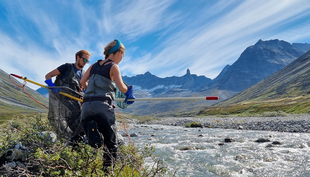
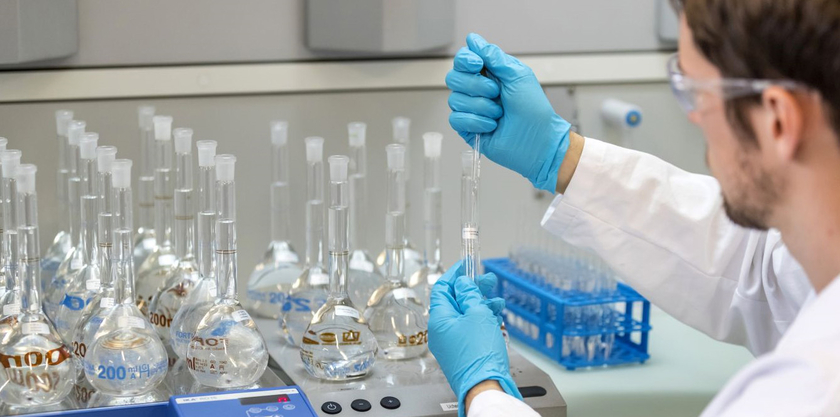
Unser Forschungsteam untersucht Vorkommen, Verteilung und Verbleib von organischen Schadstoffen in der aquatischen Umwelt. Der Fokus liegt auf den Stoffflüssen aus den Siedlungsgebieten sowie der Landwirtschaft. Zentrale Werkzeuge dabei sind die Spurenanalytik, Feld- und Laborstudien sowie die Modellierung.
Aktuelles


Informationen für potenzielle Bewerber SNF Ambizione / Starting grant Fellowship
[ENG]
The Environmental Chemistry Department is fortunate to have externally funded fellows contributing to our research and teaching environment. If you consider applying for an externally funded fellowship in our Department, please check your eligibility under www.snf.ch/en/funding/careers/Pages/default.aspx and contact a group leader whose research interests are close to yours. To ensure that incoming fellows fit our research environment and can be accommodated appropriately, and to do the necessary paperwork, sufficient time is required. If you want to apply for Ambizione/SNSF starting grant with Uchem as a host, please contact the Group Leader of your choice at least 3 months in advance of the submission deadline. Selected candidates will be invited to give a talk at our Department and discuss their research plans with us. Your formal expression of interest should come as a single PDF file including a complete CV, a motivation letter detailing why our Department is the right place for your research, an outline of the planned project (max. 2 pages), and the names and contact details of two references.
Letzte Publikationen
Rougé, V.; Dax, A.; Köster, O.; von Gunten, U.; Janssen, E. M. -L. (2026) Degradation of toxins and metabolites of cyanobacteria and micropollutants during biological sand filtration, Environmental Science and Technology, 60(12), 9647-9659, doi:10.1021/acs.est.5c16532, Institutional Repository
Wehrli, M.; Meyer, A.; Souza da Silva, É.; van Loon, S.; van Hall, B. G.; van Gestel, C. A. M.; Natal-da-Luz, T.; Döring, M. V. R.; Feldhaar, H.; Mair, M.; Jordan, D.; Langer, M. (2026) COLLEMBOT: AI-based counting of Collembola for OECD 232 Tests, Environmental Toxicology and Chemistry, doi:10.1093/etojnl/vgag068, Institutional Repository
Bernet, N. M.; Soldini, C.; Felder, T. M. O.; Lapčíková, K.; Neubauer, C.; Queen, W. L.; Kaegi, R.; Tamburini, F.; Hofstetter, T. B. (2025) Oxygen isotope analyses of phosphate and organophosphorus compounds by electrospray ionization orbitrap mass spectrometry, Analytical Chemistry, 97(41), 22777-22786, doi:10.1021/acs.analchem.5c04367, Institutional Repository
Petrus, E.; Hunkeler, L. A.; Reiher, M.; von Gunten, U.; Hofstetter, T. B. (2025) Automated reaction exploration of ozonation processes for model olefins in water, Environmental Science and Technology, 59(49), 26806-26818, doi:10.1021/acs.est.5c16167, Institutional Repository